ChatGPT Message Limit Reached? Here's What to Do
You were mid-conversation and ChatGPT stopped you. "You're out of messages." Now you can either wait around or pay to continue.
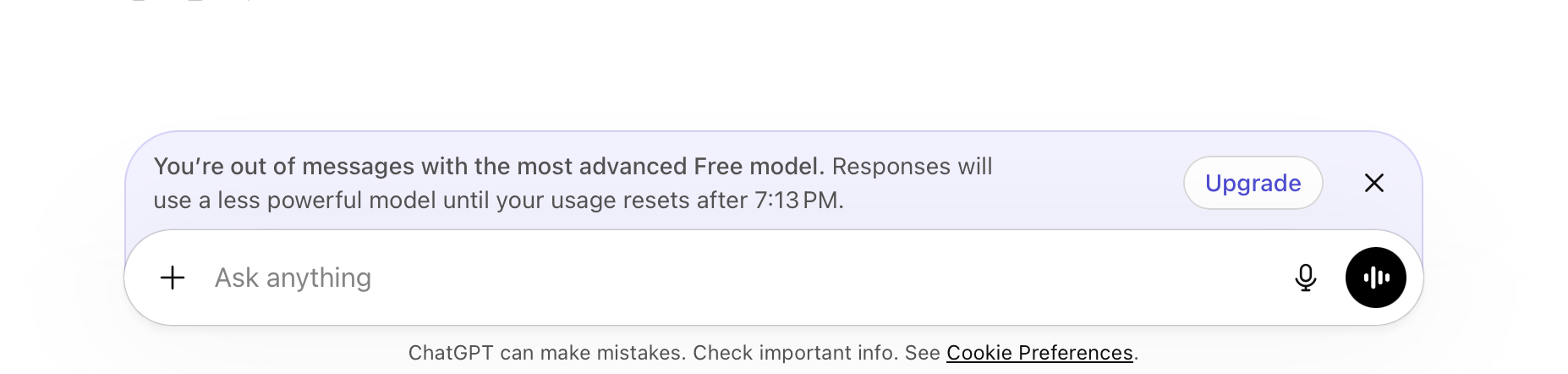
Here's what's actually happening. And what your options are.
What is the ChatGPT message limit?
ChatGPT gives users access to their current best model, GPT-5.4, for free. After a couple of messages however, you reach the point where you're out of messages. Then you're automatically downgraded to GPT-5.3 Mini, described as faster, cheaper and less capable by the AI itself.
The ChatGPT message limit is actually measured in tokens that are roughly three quarters of a word each. Every time you send a message, the whole conversation history is included, not just your latest message. The longer the conversation, the more tokens each exchange costs, which means you can hit the limit faster than the message count suggests.
The problem with the ChatGPT message limit
How long until the ChatGPT message limit resets? It's difficult to know exactly. The limit resets on a rolling 5-hour window, meaning messages gradually become available again as older ones age out. By the time messages free up, your conversation context has gone cold. You are not continuing where you left off, you are starting a new session with a fresh limit that you will hit again just as fast. There is no way to check how many messages you have left or when the next one unlocks.
How to get more ChatGPT messages without paying
The honest answer: you can't. But some common workarounds are:
- Wait out the time - if you have 5 hours to spare, you can come back at the time you're told by ChatGPT
- Join all the AI tools - Gemini, Claude, Copilot are also available for free, but they all have their own limits
- AI on your computer - you won't need an account, won't have any token limits and no one will be counting your messages
- Create a second account? - OpenAI's terms of service does not allow multiple accounts and if caught OpenAI can completely ban the user
AI on your computer with Typer
You can run AI on your Mac. That means no cloud, no account and no message limits. Ever.
Typer is a free app for Mac that runs AI models right on your computer. Download it from the App Store once and you can chat as much as you want. There's no server counting your messages and no company reading your conversations. There's no subscription to remember to cancel and it's not dependent on internet access.
The AI that runs on your Mac isn't identical to GPT-5.4, but for most everyday questions, writing, research, decisions or ideas, it's genuinely good. And it never cuts you off.
Who is Typer for?
Typer is built for people who use AI regularly and are tired of reaching limits others set for them. If you have a Mac from the last 6 years (any M-series chip), your computer can run it.
It's not only for developers who want to configure models. It's not only for people who need the absolute bleeding edge. It's for normal people who just want AI that works. All the time. Without limits decided by companies.
If that is you, Typer can be downloaded from the App Store at the bottom of this page.